


 Call 07 3257 2226
 Call 07 3257 2226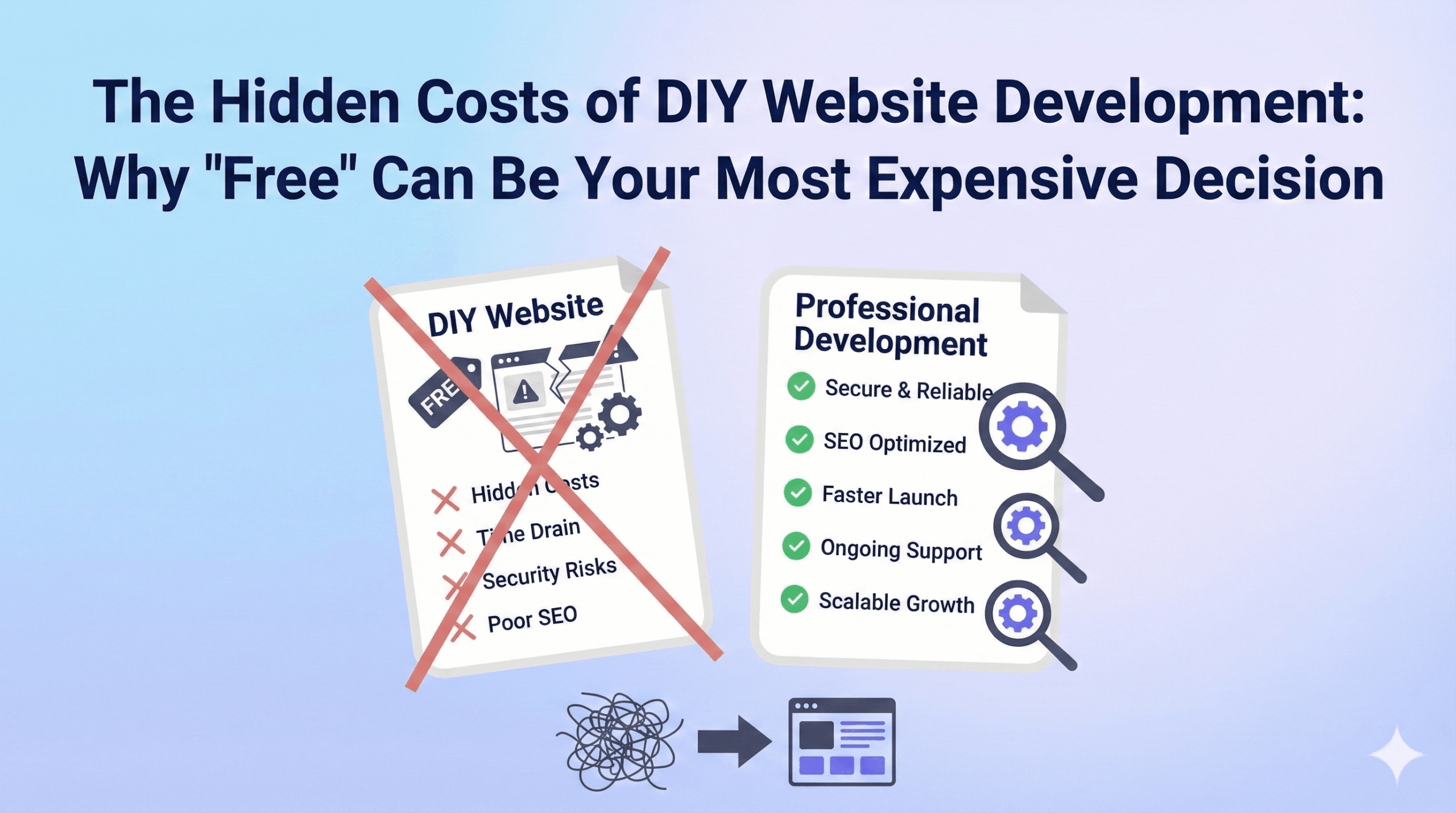


Having guided Brisbane businesses through website projects for over two decades, we’ve seen countless entrepreneurs start the DIY journey with enthusiasm, only to discover that the true costs extend far beyond the monthly platform fee. This isn’t about discouraging innovation or self-reliance – it’s about understanding the complete picture before you invest your most valuable resource: time.
The Seductive Promise of DIY Platforms
Website builders have revolutionized accessibility to web presence. Platforms like Wix, Squarespace, and WordPress.com promise professional results with minimal technical knowledge. Their marketing showcases stunning templates, drag-and-drop simplicity, and testimonials from successful businesses. The appeal is undeniable: complete control, immediate results, and apparent cost savings.
But here’s what those glossy promotional videos don’t show you: the countless hours spent wrestling with limitations, the sleepless nights before launch trying to fix broken functionality, and the growing realisation that your “quick solution” has become a part-time job.
Time: Your Most Undervalued Investment
Let’s start with the most significant hidden cost: your time.
A typical business owner estimates they’ll spend “a few weekends” building their website. In reality, creating a truly professional, functional website requires 60-120 hours of focused work. That’s 3-6 weeks of full-time effort, or 2-4 months of weekend work.
Consider this breakdown for a standard business website:
- Learning the platform: 15-20 hours
- Content creation and copywriting: 20-30 hours
- Design and layout refinement: 25-40 hours
- Setting up e-commerce functionality: 10-25 hours
- Testing and troubleshooting: 10-20 hours
- SEO optimisation: 5-15 hours
If your time is worth $75 per hour (a conservative estimate for most business owners), you’re looking at $4,500-$9,000 in opportunity cost. Suddenly, professional development doesn’t seem so expensive.
But time investment goes beyond the initial build. Website maintenance, updates, security monitoring, and ongoing optimisation add 2-5 hours monthly. Over three years, that’s another $5,400-$13,500 in time investment.
The Learning Curve Tax
Every DIY platform has its own logic, limitations, and quirks. What seems intuitive in a demo becomes frustratingly complex when you’re trying to achieve specific functionality. You’ll find yourself:
- Watching countless YouTube tutorials (many outdated or platform-specific)
- Reading documentation that assumes technical knowledge you don’t have
- Participating in forums where answers range from helpful to completely wrong
- Starting over multiple times as you discover better approaches
This learning process isn’t just time-consuming – it’s mentally exhausting. Many business owners describe the experience as feeling like they’re learning a new language while blindfolded.
Technical Limitations: When Simple Isn’t Enough
DIY platforms excel at simple websites but struggle with complex functionality. You’ll hit walls when trying to:
Integrate with existing business systems: Your CRM, inventory management, or accounting software may not play nicely with your chosen platform. Custom integrations often require technical knowledge beyond the average user.
Customize beyond templates: Want your website to reflect your unique brand? Template modifications quickly become complex, requiring CSS knowledge and understanding of the platform’s architecture.
Optimise for performance: Page speed directly impacts user experience and search rankings. DIY platforms often generate bloated code, and optimisation requires technical expertise.
Implement advanced SEO: Whilst platforms offer basic SEO tools, advanced optimisation – crucial for competitive markets – demands understanding of technical SEO, schema markup, and performance optimisation.
The Support Mirage
“24/7 support included!” sounds reassuring until you need it. DIY platform support typically consists of:
- Chatbots that redirect you to documentation
- Ticket systems with 24-48 hour response times
- Generic responses that don’t address your specific situation
- Phone support that’s limited to billing issues
When your website breaks at 2 AM before a big launch, you’re largely on your own. Professional developers offer direct access, immediate troubleshooting, and accountability – luxuries you don’t realize you need until you don’t have them.
The Security Responsibility Shift
With great power comes great responsibility – and significant risk. As a DIY website owner, you’re responsible for:
Security updates: Platforms handle some security, but plugins, themes, and custom code create vulnerabilities you must monitor and address.
Backup management: “The platform handles backups” works until you need to restore specific content or roll back problematic changes. Professional backup strategies go far beyond platform defaults.
Compliance requirements: GDPR, accessibility standards, and industry-specific compliance often require technical implementation beyond DIY capabilities.
Data protection: Your customer data, payment information, and business intelligence need enterprise-level protection strategies.
A single security breach can cost small businesses $37,500-$75,000 in immediate response costs, not including lost revenue, legal fees, and reputation damage.
Hidden Ongoing Costs
That $30/month platform fee is just the beginning. Hidden costs accumulate quickly:
Premium features: Advanced functionality requires premium subscriptions, often $75-300+ monthly.
App marketplace expenses: Third-party integrations typically cost $15-75 each per month.
Professional themes and templates: Custom-quality designs cost $150-750 upfront.
Stock photography and assets: Professional imagery costs $300-1,500 annually.
Marketing tools: Email automation, analytics, and SEO tools add $150-450 monthly.
Domain and hosting upgrades: Better performance requires premium plans, adding $45-150 monthly.
Within two years, many DIY websites cost more than professional development would have initially.
The Scalability Trap
DIY solutions work well for simple websites but become limiting as businesses grow. Common scalability issues include:
Performance bottlenecks: Template-based sites struggle with high traffic or complex functionality.
Integration limitations: Growing businesses need sophisticated software connections that DIY platforms can’t support.
Customization constraints: Unique business processes require custom development, impossible within DIY limitations.
Data portability: Moving away from a DIY platform often means starting over, as your content and customizations don’t transfer cleanly.
Opportunity Cost: What You’re Not Doing
Perhaps the most significant hidden cost is opportunity cost. While you’re learning web development, you’re not:
- Developing client relationships
- Improving your products or services
- Growing your business through marketing and sales
- Focusing on your core competencies
Every hour spent troubleshooting website issues is an hour not spent on activities that directly generate revenue.
Quality and Professional Credibility
Your website represents your brand to potential customers. DIY limitations often result in:
- Generic, template-based designs that look like thousands of other websites
- Functional quirks and limitations that frustrate users
- Poor mobile optimisation and slow loading times
- Inconsistent user experiences across different devices and browsers
Professional development ensures your website reflects your business quality and builds customer confidence rather than raising questions about your capabilities.
The Professional Alternative: True Cost vs. True Value
Professional web development might cost $7,500-37,500 upfront, but this investment includes:
- Strategic planning: Understanding your business goals and target audience
- Custom design: Unique branding that differentiates your business
- Technical expertise: Optimal performance, security, and functionality
- Ongoing support: Professional maintenance and updates
- Scalability: Architecture that grows with your business
- Time savings: You focus on running your business, not learning web development
When you calculate the true cost of DIY – including time, ongoing expenses, opportunity cost, and potential security risks – professional development often costs less whilst delivering significantly better results.
Making the Right Choice for Your Business
DIY website builders serve specific niches well: personal blogs, simple landing pages, or businesses with extremely limited budgets. However, for most commercial websites, the hidden costs quickly outweigh the apparent savings.
Consider professional development when:
- Your website is crucial to business success
- You need custom functionality or integrations
- Time-to-market matters for competitive advantage
- Your reputation depends on professional presentation
- You lack technical expertise for ongoing maintenance
The decision isn’t about spending money versus saving it – it’s about investing wisely in your business infrastructure. Your website is often the first impression potential customers have of your business. Ensure it represents the quality and professionalism they should expect from working with you.
At Greenhat Services, we've helped Brisbane businesses navigate these decisions for over 20 years
Our approach focuses on understanding your business goals first, then recommending the most cost-effective solution – whether that's professional development, guided DIY implementation, or hybrid approaches that maximize your investment. Contact us to discuss your specific situation and explore options that fit your budget and timeline.