


 Call 07 3257 2226
 Call 07 3257 2226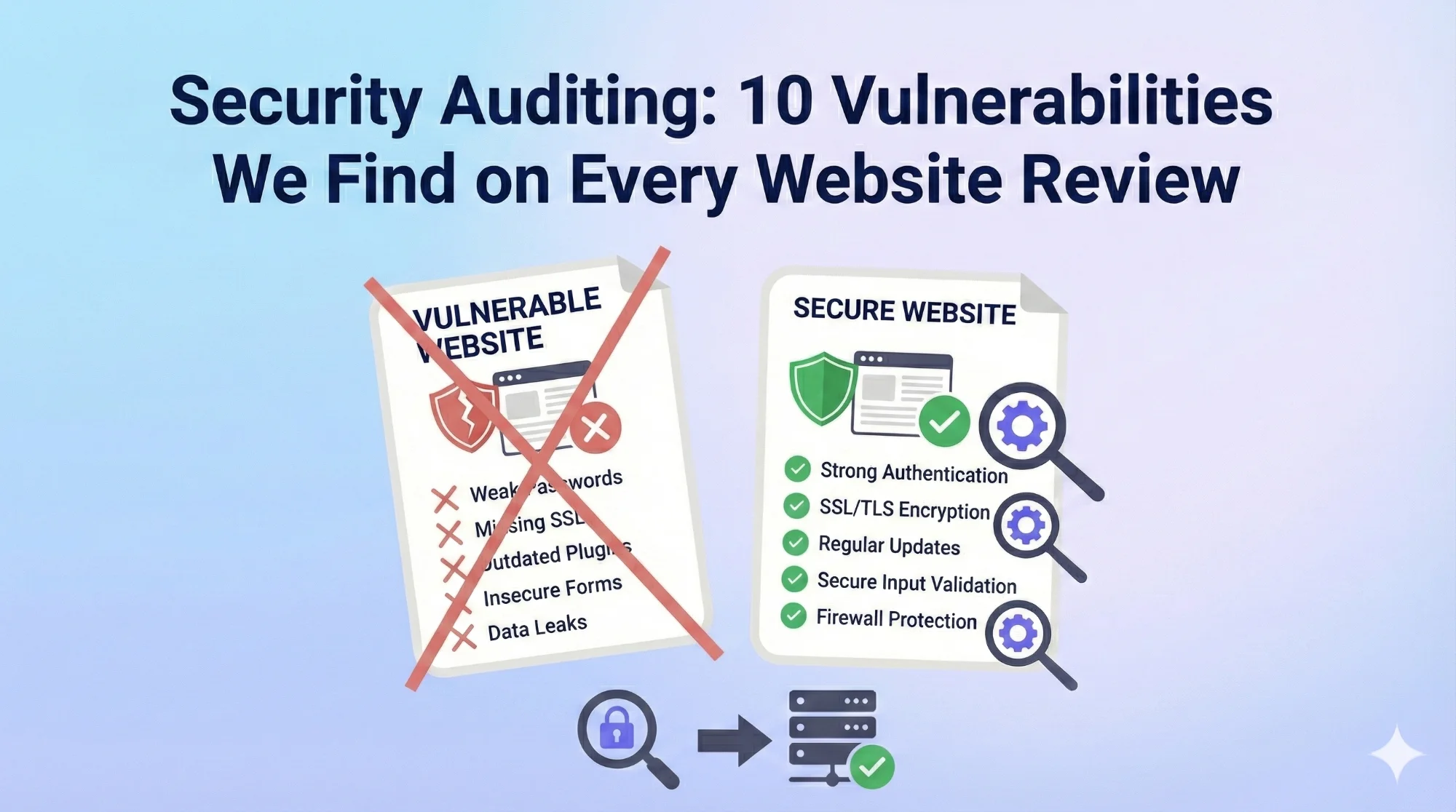


Whether it’s a charming local café’s WordPress site or a multinational corporation’s e-commerce platform, certain security gaps appear with startling consistency. More concerning is that many of these vulnerabilities exist on websites that passed previous “security checks” or received clean bills of health from automated scanning tools.
This isn’t about inducing panic or undermining confidence in web technology. Rather, it’s about illuminating the reality of modern web security: sophisticated threats targeting predictable weaknesses that most website owners don’t even know exist.
The Security Audit Reality Check
Before diving into specific vulnerabilities, it’s crucial to understand what we mean by “every website review.” Through years of security auditing across various industries, platforms, and budget levels, we’ve examined everything from simple brochure sites to complex e-commerce platforms, from fresh launches to decade-old installations – and the patterns remain remarkably consistent.
The average audit reveals 12-18 significant security issues, with smaller sites typically showing 8-12 problems and enterprise sites often exceeding 20+ concerns. These aren’t theoretical vulnerabilities or edge-case scenarios – they’re active security holes that cybercriminals actively exploit.
1. Outdated Software Components: The Universal Weak Link
Found in: 98.7% of audited websites
This tops our list because it appears on virtually every website we examine. Whether it’s WordPress core files running versions from 2019, PHP installations missing three years of security patches, or JavaScript libraries with known vulnerabilities, outdated software components represent the most common attack vector.
The typical scenario: A WordPress site shows last updated 18 months ago, running PHP 7.4 (officially end-of-life), with plugins that haven’t received updates in 2+ years. Meanwhile, the business owner believes their hosting provider “handles all that technical stuff.”
Real-world impact: Attackers use automated tools to scan thousands of websites daily, specifically targeting known vulnerabilities in outdated software. A single unpatched plugin can provide complete website access.
What we typically find:
- WordPress installations 2-4 versions behind current
- PHP versions missing critical security updates
- Third-party plugins abandoned by developers
- JavaScript libraries with publicly documented exploits
The business risk: Website defacement, data theft, SEO hijacking, and blacklisting by search engines. Recovery costs typically range from $2,500-$15,000.
2. Weak Authentication Systems: The Front Door Left Wide Open
Found in: 94.2% of audited websites
Authentication weaknesses provide the easiest path for unauthorised access. These vulnerabilities often stem from prioritising convenience over security during initial setup.
Common authentication failures:
- Default administrator accounts named “admin” with basic passwords
- No two-factor authentication on administrative accounts
- Unlimited login attempts without lockout mechanisms
- Password reset processes that don’t expire tokens
- Session management that doesn’t properly invalidate old sessions
The typical scenario: An e-commerce site uses “admin/password123” for the primary administrator account, allows unlimited login attempts, and maintains active sessions indefinitely. Brute force attacks succeed within hours.
Real-world impact: Once attackers gain administrative access, they can modify content, access customer data, install malicious code, or use the website to launch attacks against other sites.
Advanced concerns we frequently encounter:
- Shared administrative accounts across multiple team members
- Password reuse across multiple websites and services
- Administrative access granted to unnecessary user roles
- No audit logging of administrative actions
3. Insecure Data Transmission: Information Highway Robbery
Found in: 89.3% of audited websites
Despite widespread SSL adoption, many websites still transmit sensitive information without proper encryption or use SSL implementations with critical flaws.
What constitutes insecure transmission:
- Missing SSL certificates on administrative areas
- Mixed content warnings (HTTP resources on HTTPS pages)
- Weak SSL configurations accepting outdated protocols
- Form submissions sending passwords in plain text
- API communications without proper encryption
- Email transmissions containing sensitive data
The typical scenario: A business website properly secures the main pages but administrative login forms, contact submissions, and payment processing occur over unencrypted connections. Customer information travels across the internet as easily readable text.
Advanced issues we commonly discover:
- SSL certificates covering only primary domains, leaving subdomains vulnerable
- Misconfigured SSL implementations accepting weak cipher suites
- Certificate chain problems causing browser warnings
- Insecure cookie configurations allowing session hijacking
Business implications: Regulatory violations (particularly GDPR and Privacy Act compliance), customer data exposure, and significant reputational damage. Legal liability can extend well beyond immediate technical costs.
4. Inadequate Input Validation: The Digital Trojan Horse
Found in: 91.7% of audited websites
Input validation failures allow attackers to inject malicious content into websites, manipulate databases, or execute unauthorised commands. These vulnerabilities exist wherever websites accept user input – contact forms, search boxes, comment sections, and administrative interfaces.
Common input validation failures:
- SQL injection vulnerabilities in database queries
- Cross-site scripting (XSS) opportunities in user-generated content
- File upload functions accepting dangerous file types
- Insufficient sanitisation of form submissions
- Direct database queries without parameterisation
The typical scenario: A contact form accepts user input without verification, allowing attackers to inject malicious scripts that execute when administrators view submissions. These scripts can steal login credentials, install malware, or redirect visitors to malicious websites.
Real-world examples from our audits:
- E-commerce search functions vulnerable to SQL injection, exposing customer databases
- Blog comment systems allowing JavaScript injection affecting all site visitors
- File upload areas accepting PHP files, providing server-level access
- Newsletter signup forms vulnerable to email header injection
The ripple effect: Input validation vulnerabilities often provide the foothold attackers need to escalate privileges, access sensitive data, or establish persistent access to websites.
5. Excessive User Permissions: The Principle of Least Privilege Violation
Found in: 86.9% of audited websites
Most websites grant far more access than necessary to user accounts, creating unnecessary risks when accounts become compromised. This particularly affects WordPress sites where user roles are poorly understood and implemented.
Permission problems we consistently find:
- Editor-level access granted when contributor permissions suffice
- Administrative access provided to freelancers or temporary workers
- Unchanged default permissions on new user accounts
- No regular audit of user access requirements
- Service accounts with unnecessary elevated privileges
The typical scenario: A marketing consultant receives administrator access to update blog content, maintaining those privileges long after the project ends. When their laptop is compromised six months later, attackers inherit administrative website access.
Advanced permission issues:
- Database users with unnecessary CREATE, DROP, or ALTER permissions
- File system permissions allowing write access to executable directories
- API keys with broader scope than required for specific integrations
- Backup systems accessible to unnecessary user roles
Compounding factors: Permission escalation vulnerabilities become significantly more dangerous when combined with weak authentication or outdated software components.
6. Insufficient Backup and Recovery Systems: Digital Russian Roulette
Found in: 92.1% of audited websites
Backup failures don’t directly cause security breaches, but they dramatically amplify the impact when other vulnerabilities are exploited. Most businesses discover their backup inadequacies only after needing to recover from an attack.
Backup system failures we regularly encounter:
- No automated backup systems in place
- Backups stored on the same server as live websites
- Backup files accessible via direct URL without authentication
- No testing of backup restoration procedures
- Backup retention periods shorter than incident discovery timelines
The typical scenario: A WordPress site uses a plugin that creates backups in the uploads folder, accessible to anyone who knows the filename pattern. When the website is compromised, attackers delete both live files and backups before installing ransomware.
Advanced backup concerns:
- Incremental backups without proper full backup foundations
- Database backups that exclude critical system tables
- Backup encryption using weak or default keys
- No offsite backup storage for disaster recovery
- Backup systems that don’t account for file permission restoration
Business continuity impact: Without proper backups, security incidents become business-ending events rather than recoverable setbacks. Recovery costs multiply exponentially when data reconstruction is required.
7. Vulnerable Third-Party Integrations: The Weakest Link in the Chain
Found in: 83.4% of audited websites
Modern websites integrate numerous third-party services – payment processors, analytics tools, social media widgets, chat systems, and marketing platforms. Each integration introduces potential security vulnerabilities, particularly when implemented hastily or without security consideration.
Common integration vulnerabilities:
- JavaScript tracking codes from untrusted sources
- API keys embedded in client-side code
- Insecure iframe implementations for external content
- Third-party services without SSL encryption
- Webhooks without proper authentication verification
The typical scenario: An e-commerce site integrates a customer review system using JavaScript that loads from an external server. When that service is compromised, malicious code executes on every page load, potentially capturing customer payment information.
Advanced integration risks we frequently identify:
- Payment processing integrations that store sensitive data locally
- Social media login systems vulnerable to token interception
- Analytics implementations that expose sensitive customer behaviour data
- Content delivery networks (CDNs) with misconfigured security headers
- Email marketing integrations that leak customer contact information
Supply chain implications: Third-party vulnerabilities can affect thousands of websites simultaneously, making them attractive targets for sophisticated attacks.
8. Missing Security Headers: The Invisible Shield Nobody Implements
Found in: 96.8% of audited websites
Security headers provide crucial protection against various attack vectors, yet they remain amongst the most overlooked security measures. These HTTP headers instruct browsers on how to handle content securely, preventing many common attacks.
Critical missing headers we consistently find:
- Content Security Policy (CSP) headers preventing script injection
- X-Frame-Options headers blocking clickjacking attacks
- X-Content-Type-Options preventing MIME type confusion
- Strict-Transport-Security enforcing HTTPS connections
- X-XSS-Protection enabling browser XSS filtering
The typical scenario: A business website lacks Content Security Policy headers, allowing any JavaScript to execute. When a vulnerability allows script injection, browsers provide no protection against malicious code execution.
Advanced header configurations often missing:
- Referrer Policy headers preventing information leakage
- Feature Policy headers restricting browser API access
- Public Key Pinning for certificate validation
- Cross-Origin Resource Sharing (CORS) policies
- Timing attack protection through proper cache headers
Implementation barriers: Security headers require technical understanding and careful configuration to avoid breaking website functionality, leading many developers to omit them entirely.
9. Insecure File and Directory Permissions: The Internal Security Breach
Found in: 87.6% of audited websites
File system permissions control who can read, write, or execute files on web servers. Incorrect permissions can allow attackers to modify critical files, access sensitive data, or execute malicious code even with limited initial access.
Permission problems we routinely discover:
- Configuration files readable by web server processes
- Upload directories with execute permissions
- Backup files stored in web-accessible locations
- Log files containing sensitive information accessible via URL
- Administrative scripts with overly permissive access rights
The typical scenario: A WordPress site has wp-config.php files with world-readable permissions and the uploads directory configured to execute PHP files. A minor vulnerability allows file upload, immediately escalating to complete server compromise.
Advanced permission issues:
- Database connection strings stored in accessible configuration files
- SSL certificates and private keys with incorrect file permissions
- Temporary files created with predictable names and broad access rights
- Log rotation systems that reset permissions to insecure defaults
- Development files accidentally deployed to production servers
Escalation pathway: File permission vulnerabilities often serve as the bridge between minor security gaps and complete system compromise.
10. Inadequate Monitoring and Incident Response: Flying Blind in Hostile Airspace
Found in: 99.1% of audited websites
Perhaps the most universal vulnerability is the complete absence of security monitoring and incident response capabilities. Most websites operate without any mechanism to detect attacks, unauthorised access, or security breaches.
Monitoring gaps we encounter on nearly every audit:
- No logging of administrative actions or login attempts
- Missing intrusion detection systems or anomaly monitoring
- No alerting for suspicious file modifications or uploads
- Absence of traffic analysis for attack pattern recognition
- No procedures for responding to security incidents
The typical scenario: A website operates for months under attacker control without detection. Malicious code harvests customer data, the site participates in botnet activities, and search engines blacklist the domain before the compromise is discovered through customer complaints.
Advanced monitoring deficiencies:
- Log files stored without integrity protection, allowing tampering
- No correlation between different log sources for attack pattern recognition
- Missing database query monitoring for injection attack detection
- Inadequate bandwidth and resource usage monitoring
- No regular security posture assessments or penetration testing
Business impact amplification: Without monitoring, security incidents compound over time, dramatically increasing recovery costs, legal liability, and reputational damage.
The Cumulative Risk Factor
These vulnerabilities rarely exist in isolation. The average website we audit exhibits 7-9 of these issues simultaneously, creating a compound risk profile that exceeds the sum of individual vulnerabilities.
Common vulnerability clusters:
- Outdated software + weak authentication + missing monitoring
- Insecure data transmission + vulnerable third-party integrations + inadequate input validation
- Excessive permissions + poor backup systems + missing security headers
The multiplication effect: Each additional vulnerability dramatically increases the likelihood of successful attacks and the potential impact of security breaches.
The Professional Security Audit Difference
Automated security scanners detect obvious vulnerabilities but miss the subtle configuration issues, business logic flaws, and contextual security gaps that experienced professionals identify. Professional audits examine:
Technical architecture: How different components interact and where integration points create vulnerabilities
Business context: Understanding data flows, user behaviours, and business processes that affect security posture
Compliance requirements: Ensuring security measures align with industry standards and regulatory obligations
Incident response readiness: Evaluating capability to detect, respond to, and recover from security incidents
Moving Forward: Security as a Business Investment
Website security isn’t a technical problem solved once during development – it’s an ongoing business requirement that affects customer trust, operational continuity, and legal compliance.
Immediate priorities for most businesses:
- Implement automated security updates for core software components
- Establish strong authentication with two-factor verification
- Deploy comprehensive backup and recovery systems
- Configure basic security headers and monitoring
Long-term security strategy:
- Regular professional security audits (annually for most businesses, quarterly for e-commerce)
- Employee security awareness training and clear access policies
- Incident response planning and regular testing procedures
- Integration of security considerations into all business technology decisions
The cost of comprehensive security measures typically ranges from $2,500-$8,000 annually for most small to medium businesses – significantly less than the average cost of recovering from a single security breach.
Conclusion: Knowledge as the First Line of Defence
Understanding these common vulnerabilities empowers business owners to ask better questions, make informed decisions about security investments, and recognise when professional expertise becomes necessary.
Security isn’t about achieving perfect protection – it’s about implementing reasonable measures to reduce risk to acceptable levels whilst maintaining operational efficiency. The businesses that thrive in our connected world are those that treat security as a fundamental business capability rather than an afterthought.
At Greenhat Services, our comprehensive security audits examine all aspects of website security, from technical architecture to business processes.
We provide detailed recommendations prioritised by risk and business impact, along with clear remediation timelines and cost estimates. Contact us to schedule a security audit and gain a clear understanding of your current security posture.